TL;DR
- Users install two files. The pull request also touched the registry manifest, docs, agent docs, the keyboard map, tests and the README.
- Pure logic in a lib file meant 15 of the 22 tests needed no rendering.
- Review found six bugs, including a two-span parent loop that emptied the whole tree.
- Insert into every list alphabetically, because a test fails if you append.
On this page
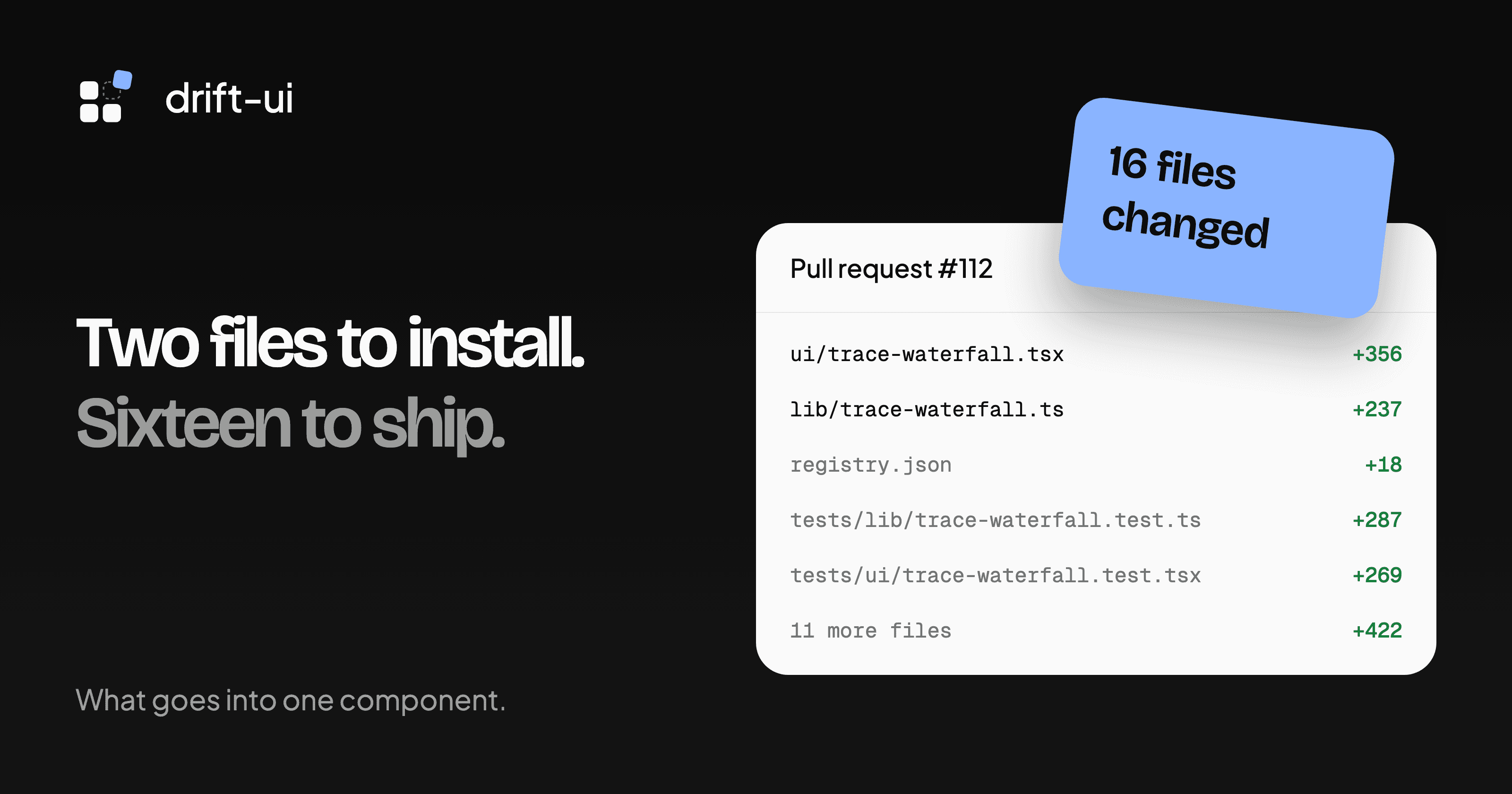
When you run npx shadcn add for the trace waterfall, two files land in your project. The pull request that added it changed 16.
If you’re planning to add a component to drift-ui, the other 14 are the part that surprises people. This post walks through pull request #112 by Syed Fahad Junaid, file by file, and then through the six things review caught before it merged.
The pull request
The trace waterfall shows the spans of one request as a collapsible tree, with a bar for each span on a shared timeline. It’s the view you’d see in Jaeger or Honeycomb when a request is slow and you want to know which call took the time.
The pull request opened on November 8 and merged the next morning. It added 1,589 lines across 16 files. 593 of those lines are the component itself. 556 are tests.
Where the 16 files go
| File | What it does |
|---|---|
registry/default/ui/trace-waterfall.tsx | The component people install, 356 lines |
registry/default/lib/trace-waterfall.ts | Pure functions behind it, 237 lines |
registry.json | Tells the shadcn CLI what to install |
tests/lib/ and tests/ui/ | 15 tests for the logic, 7 for the rendered component |
components/preview/, four example files and preview-registry.tsx | The live demo and examples on the docs page |
lib/catalog.ts | Puts it in the Structure category |
lib/component-keyboard.ts | The keyboard table on the docs page |
component-usage.ts and component-api.ts | Notes and props for coding agents, served at /llms.txt |
README.md | A link in the component table, and the count from 50 to 51 |
Most of these are one-line additions. catalog.ts got one line and preview-registry.tsx got two. They still matter, because without them the component builds but never shows up on the site.
Why the logic is a separate file
The lib file has no React in it. It turns a flat list of spans into a tree, works out where the timeline starts and ends, picks tick marks and formats durations like 840 µs or 1.2 s.
Splitting it out made most of the testing cheap. 15 of the 22 tests call plain functions with plain data, so they don’t render anything or simulate clicks. The 7 UI tests are left for what only a browser can show, like keyboard focus and expand state.
The registry entry
{
  "name": "trace-waterfall",
  "type": "registry:ui",
  "title": "Trace Waterfall",
  "dependencies": ["lucide-react"],
  "registryDependencies": ["utils", "@drift-ui/use-controllable-state"],
  "files": [
    { "path": "registry/default/ui/trace-waterfall.tsx", "type": "registry:ui" },
    { "path": "registry/default/lib/trace-waterfall.ts", "type": "registry:lib" }
  ]
}
dependencies lists npm packages, here only lucide-react for the chevron icons. registryDependencies lists other registry items. shadcn built-ins like utils go in by bare name, and items that only drift-ui has get the @drift-ui/ prefix. Get one of these wrong and the install works on your machine, where the file already exists, and fails on someone else’s.
The keyboard map
A trace is a tree, so the component follows the WAI-ARIA tree view pattern. Up and Down move between visible spans. Right expands a span, and pressing it again moves into the first child. Left does the reverse. Home and End jump to the first and last span, and Enter or Space selects one.
Those five bindings live in component-keyboard.ts as data, and the docs page renders them as a table. If the component and the table disagree, the docs are wrong, so they’re worth checking against each other before you open the pull request.
What review caught
cubic, the review bot on this repo, left six comments on the first version. Fahad fixed all six in one follow-up commit and replied to each one with what changed.
| Comment | What would have happened |
|---|---|
| Parent cycles | Spans where A’s parent is B and B’s parent is A disappeared from the tree |
NaN start or duration | Bars rendered with a width of NaN% |
| Start time in the label | A span drawn at 0 ms was announced to screen readers as starting at 100 ms |
| Focus after clicking the expander | Keyboard focus got stuck on a hidden button |
| Controlled mode | No test passed in expanded or selected state from outside |
attributes field | The API reference left out part of the span type |
The first one is the most interesting. The code already handled a span that names itself as its parent. It didn’t handle a loop of two. Each span was waiting to be attached under the other, so neither was a root, and the tree came out empty. Real tracing data can do this when span IDs collide.
The fix walks up from each span and stops if it sees an ID twice:
it("breaks multi-span parent cycles and promotes members to root level", () => {
  const cycleSpans: Span[] = [
    { id: "A", parentId: "B", name: "Span A", start: 0, duration: 10 },
    { id: "B", parentId: "A", name: "Span B", start: 10, duration: 10 },
  ]
  const ids = buildSpanTree(cycleSpans).map((t) => t.span.id)
  expect(ids).toContain("A")
  expect(ids).toContain("B")
})
The label bug came from the same shortcut in two places. The bars were positioned relative to the earliest span, but the accessible name used the raw start time. Sighted users and screen reader users were reading different numbers off the same chart.
If you’re adding one
The full list is in Adding a component in CONTRIBUTING.md. Before you start, read two components close to yours. Fahad’s is a good one to read if you’re building anything tree-shaped, and tags-input.tsx is a good one for inputs.
You don’t need to start with a whole component. A missing keyboard binding or a wrong line in the API reference is a real fix and a smaller first pull request. Our good first issues include both kinds.