TL;DR
- Accessibility went from 88 to 100 and Agentic Browsing from 2 of 3 to 3 of 3 on the live site.
- Most fixes were names: use sr-only instead of hidden, and don’t let aria-label replace visible text.
- Performance stayed at 59 to 76 on cloud machines, and Largest Contentful Paint went up in three regions.
- A score of 100 doesn’t cover everything. One real bug we fixed isn’t counted in the score at all.
On this page
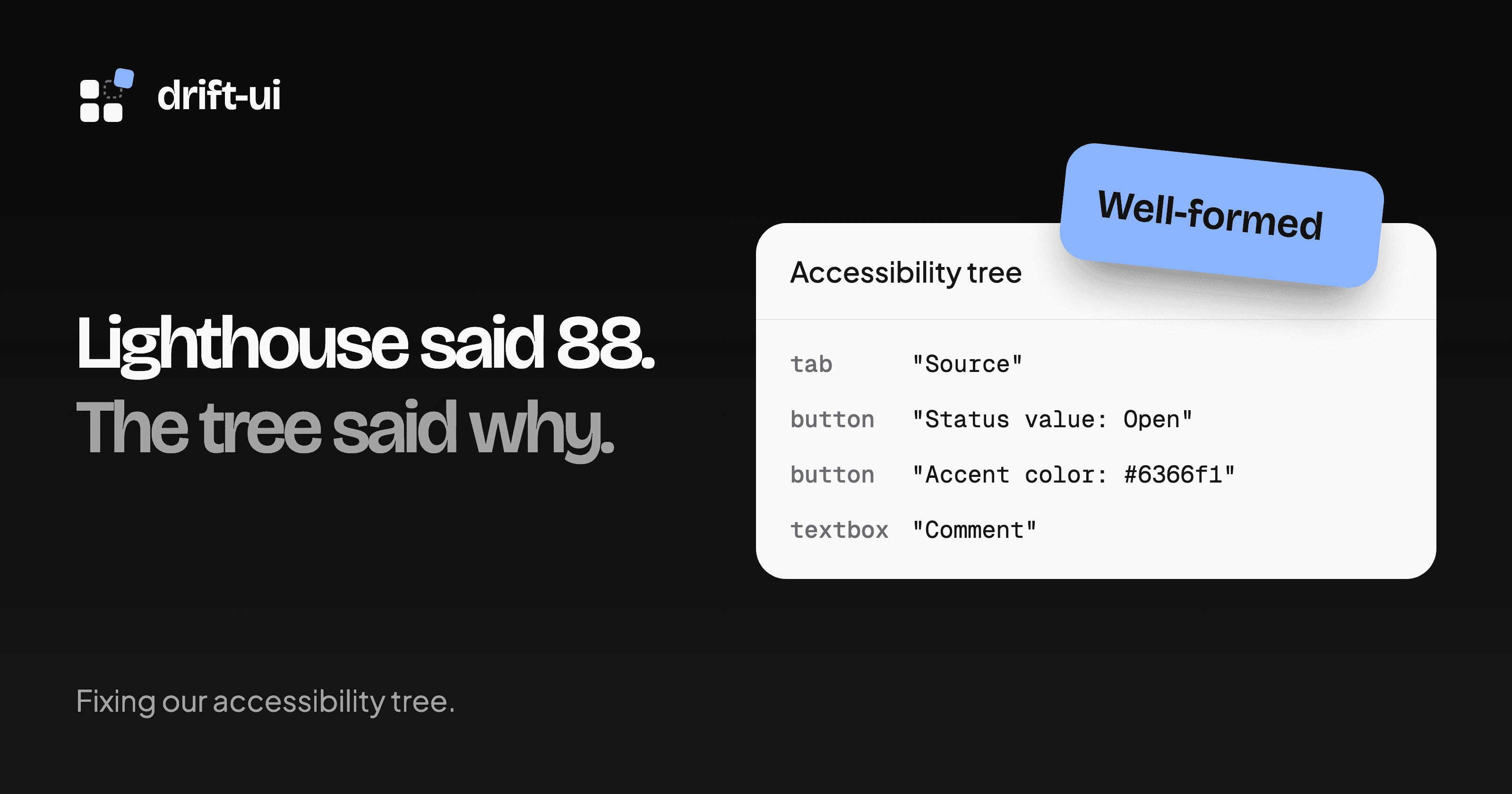
We ran Lighthouse on the drift-ui home page and got 88 for Accessibility. Agentic Browsing passed two of its three checks, and the third said “Accessibility tree is not well-formed.”
Those two results had one cause. The failing check is built from the same accessibility rules, so fixing the tree fixed both. Here’s what failed, what we changed in pull request #56, and which numbers didn’t move.
What the accessibility tree is
The browser turns the DOM into a smaller tree for assistive technology to read. web.dev’s explainer is a good short introduction. Each node has a role, a name and sometimes a state, so a filter button might read as button "Status value: Open".
Screen readers announce those nodes. AI agents use the same tree to work out what’s on a page, which is why Lighthouse now checks it in a second category.
To see yours, inspect an element in Chrome DevTools and open the Accessibility tab in the Elements panel.
Audit more than the home page
The home page showed five failing elements. Running all 74 component pages showed more. 24 of them scored below 100, nearly all because of the footer wordmark, and the rest of the report listed bugs in components people install from the registry. If we’d stopped at the home page, those bugs would have stayed in other people’s projects.
| Failure | Where | Fix |
|---|---|---|
| Button with no name | Landing page stepper | Hide titles with sr-only |
aria-controls pointing nowhere | Stepper without panels | Leave the attribute off |
| Visible text missing from the name | Five registry components, two site controls | Keep the text, add a hidden prefix |
| Role the element can’t have | Mention textarea | Use the built-in textbox role |
| Low contrast | Footer, scroll animation, tabs, a demo card | Different for each, covered below |
A step with no name
The stepper on our landing page hid its inactive titles on narrow screens with hidden. That removes them from the tree too. A completed step shows only a check icon, so its button had no text left and no name.
Swapping to sr-only kept the same look and put the name back. Use hidden when content should disappear for everyone, and sr-only when it should only disappear from the screen.
An ID that pointed nowhere
The stepper is built on Radix Tabs, and each tab sets aria-controls to the ID of its panel. Our landing page stepper has no panels, so the active tab referenced an element that didn’t exist.
The fix went into the component. StepperContent now tells the stepper it exists, and tabs only set the attribute once it does. Every stepper without panels gets the fix, including the ones in other people’s apps.
Names that hid the visible text
This was the biggest group. Our filter chip showed “Open” but was named “Status value”, because aria-label replaces the button’s text entirely. Color picker, inline edit, phone input and shortcut recorder had the same problem.
It matters for voice control. Someone who sees “Open” on screen will say “click Open”, and that fails if “Open” isn’t in the name. WCAG calls this Label in Name. Lighthouse lists the check but doesn’t count it toward the score, so a page can hit 100 with this bug still in it. Read the full report as well as the number.
// Before: the name is "Status value", the button shows "Open"
<button aria-label={`${field.label} value`}>
  <ValueLabel text={label} />
</button>

// After: the name is "Status value: Open"
<button>
  <span className="sr-only">{field.label} value:</span>{" "}
  <ValueLabel text={label} />
</button>
With a hidden prefix the name is built from what’s on screen, so the two can’t drift apart when the value changes.
A role a textarea can’t have
Mention textarea set role="combobox" on a <textarea>. ARIA in HTML doesn’t allow that, and it was the last failure holding Agentic Browsing back on /themes.
We removed the role and kept aria-autocomplete and aria-activedescendant, which the built-in textbox role supports. aria-expanded had to go, because textboxes don’t support it.
Contrast that depended on scrolling
Our reveal scroll animation faded sections in. A section resting at the bottom of the screen stayed partly transparent until you scrolled, which put text on /contributors at 2:1 contrast. The animation now only moves content, so text is readable from the first frame.
@keyframes reveal-in {
  from {
    transform: translate3d(0, 24px, 0);
  }
}
The next audit flagged the inactive tabs in our Principles section at 3.66:1, which hadn’t shown up before, so we raised those too. Rerun the audit after every fix, because one failure can hide another.
The footer wordmark was a different case. It’s decorative and already had aria-hidden, but the contrast check still measured it. We moved the text into a CSS ::before, where it looks the same and isn’t page text anymore. That’s only fair for text that really is decoration.
What the scores did
These runs use Lighthouse Metrics, which tests the live site on mobile from six regions. Each column is one run.
| Check | Before | After |
|---|---|---|
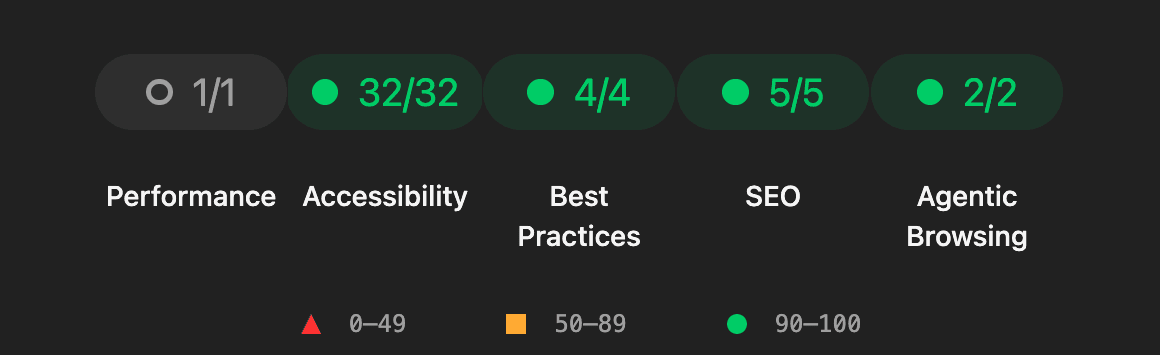
| Accessibility | 88 | 100 |
| Agentic Browsing | 2 of 3 | 3 of 3 |
| Best Practices and SEO | 100 | 100 |
| Performance | 58 to 77 | 59 to 76 |
| Total Blocking Time | 422 ms to 2.6 s | 402 ms to 2 s |
| Largest Contentful Paint | 1.9 s to 3.9 s | 3.7 s to 4 s |
What didn’t improve
Performance barely moved, and the accessibility work was never going to change it. We also turned off link prefetching for heavy routes, which took the home page from 813 KiB to 534 KiB in a local build. On Lighthouse Metrics, US West reported 33 requests and 542 kB both before and after, so we can’t claim that saving for production yet.
Total Blocking Time is the main cost, and it comes from hydrating the landing page. We tried content-visibility on its sections and rendering time halved, but blocking time stayed the same, so we dropped it. The real fix is to ship less client JavaScript.
Largest Contentful Paint went up in three regions. These are single runs and we haven’t found the cause, so it’s the next thing to look at.
The same page scored Performance 100 when we ran Lighthouse on a laptop, and 59 to 76 from cloud machines. A fast computer hides slow pages, so test from somewhere closer to your users.
A perfect Accessibility score has limits as well. The report itself says automated checks find only some issues, and it lists ten things to check by hand. Lighthouse and our unit tests covered this work. A pass with a real screen reader is still on our list.
Try it on your project
This runs the same two categories from your terminal and opens the report:
npx lighthouse https://your-site.dev \
  --only-categories=accessibility,agentic-browsing \
  --view
Run it on an inner page as well as your home page. To practice on a real codebase, our good first issues are open to you.