TL;DR
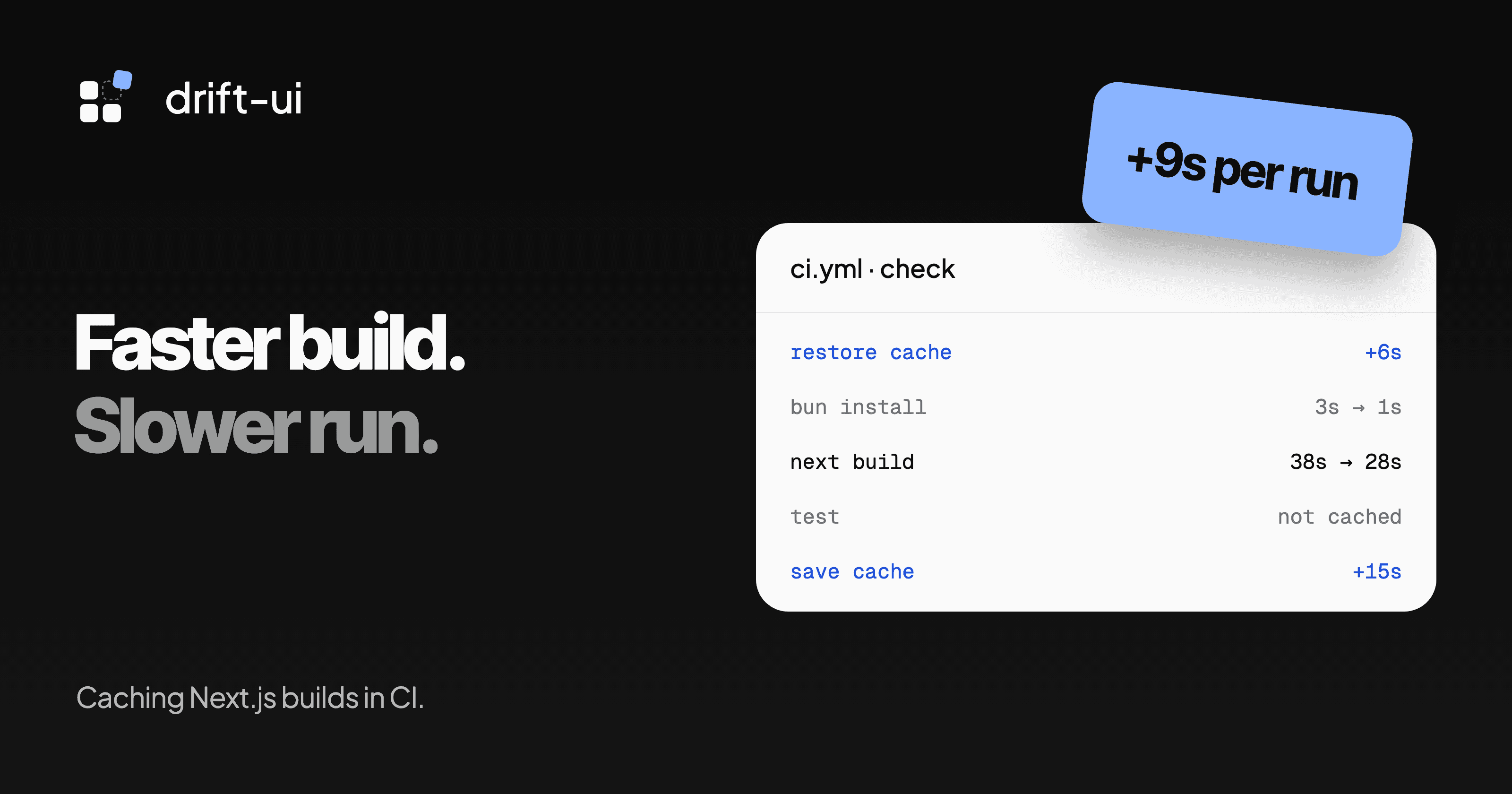
- Caching .next/cache cut Turbopack’s compile from 11.7 to 4.3 seconds and the build step from 38 to 28.
- 35 of 39 runs restored a cache. The four misses all came within 20 minutes of the merge.
- Every run uploads a new cache of about 376 MB, which takes 15 seconds, so each run ends up about 9 seconds slower.
- Saving the cache only from main should fix that. We haven’t made that change yet.
On this page
drift-ui’s CI workflow is one job: install, format check, typecheck, lint, tests with coverage, then next build. On November 13 we merged pull request #158, which adds a cache step so the build can reuse its work from earlier runs.
Four days and 39 runs later, the build step was 10 seconds faster and the job as a whole was about 9 seconds slower. This post shows the numbers and where the extra time goes.
The change
Since Next.js 16.3, Turbopack’s filesystem cache is on for builds, and it lives in .next/cache. A GitHub Actions runner starts empty, so before #158 every build began from nothing. The fix is the snippet from the Next.js CI caching guide, with two changes for Bun:
- uses: oven-sh/setup-bun@v2

- uses: actions/cache@v6
  with:
    path: |
      ~/.bun/install/cache
      ${{ github.workspace }}/.next/cache
    key: ${{ runner.os }}-nextjs-${{ hashFiles('bun.lock') }}-${{ hashFiles('**/*.js', '**/*.jsx', '**/*.ts', '**/*.tsx') }}
    restore-keys: |
      ${{ runner.os }}-nextjs-${{ hashFiles('bun.lock') }}-

- run: bun install --frozen-lockfile
The key hashes bun.lock where the guide hashes package-lock.json, and it caches ~/.bun/install/cache in place of ~/.npm. The step also runs before bun install, so the Bun cache is back in place before the install needs it, and node_modules doesn’t exist yet when **/*.ts gets hashed.
How the key works
The key has three parts: the runner OS, a hash of bun.lock, and a hash of every JavaScript and TypeScript file in the repo. Almost every commit changes a source file, so a run almost never finds an exact match for its key.
That’s what restore-keys is for. When the exact key misses, the action looks for the newest cache whose key starts with the OS and lockfile hash, and restores that one. Turbopack then rebuilds only what changed since that cache was saved.
A pull request can restore caches saved on its own branch or on main, but not ones saved by other pull requests. In practice, the first run on a new branch starts from the latest main build.
Before and after
We pulled step timings for every successful CI run from the GitHub Actions API. “Before” is 231 runs from October 28 to the merge on November 13. “After” is the 39 runs from the merge to November 17. Each figure is a median, in seconds.
| Step | Before | After |
|---|---|---|
| Restore cache | none | 6 |
bun install | 3 | 1 |
| Turbopack compile, inside the build | 11.7 | 4.3 |
| Build | 38 | 28 |
| Save cache | none | 15 |
| Test | 88 | 131 |
| Whole job | 164 | 222 |
The compile time comes from the “Compiled successfully in” line that next build prints. On a cache hit it dropped from 11.7 to 4.3 seconds. On the four runs that missed, it was 11.2, the same as before.
The four misses
35 of the 39 runs restored a cache. All four misses happened on November 13, within 20 minutes of the merge:
- The first
mainrun after the merge, when no cache existed yet. - A Renovate pull request that started before that
mainrun had finished saving. - The toast pull request, which added a dependency. A new
bun.lockmeans a new hash, so no saved key matches even the prefix. - The
mainrun after the toast merge, for the same reason.
After that, every run until November 17 restored a cache. A miss only costs the time the build took before the cache existed.
Where the time goes
The cache saves about 12 seconds a run: 10 in the build and 2 in the install. Restoring it takes 6 seconds and saving it takes 15, so each run comes out about 9 seconds behind.
The save is the expensive part. Because the key includes a hash of every source file, each run has a key nobody has used, and the action uploads a new entry at the end. All 39 runs saved one, between 318 and 510 MB each, with a median of 376 MB.
That also fills the repo’s cache storage. GitHub’s default limit is 10 GB per repository, which holds about 27 entries of that size. Past that, GitHub evicts the least recently used entries. Most entries come from pull request branches, and only later runs on the same branch can restore them.
What the numbers point to
Pull requests restore from main anyway, so they don’t need to save their own cache. actions/cache has separate restore and save actions for this. Every run restores, and only pushes to main save:
- uses: actions/cache/restore@v6
  with:
    path: |
      ~/.bun/install/cache
      ${{ github.workspace }}/.next/cache
    key: ${{ runner.os }}-nextjs-${{ hashFiles('bun.lock') }}-${{ github.sha }}
    restore-keys: |
      ${{ runner.os }}-nextjs-${{ hashFiles('bun.lock') }}-

# install, check, test and build as before

- if: github.event_name == 'push'
  uses: actions/cache/save@v6
  with:
    path: |
      ~/.bun/install/cache
      ${{ github.workspace }}/.next/cache
    key: ${{ runner.os }}-nextjs-${{ hashFiles('bun.lock') }}-${{ github.sha }}
That should take the 15-second save off every pull request run. The trade is that a second push to the same branch restores main’s cache instead of its own, so Turbopack may have a little more to rebuild. The key uses the commit SHA, since a hash of the source files no longer does anything there. We haven’t made this change yet. When we do, we’ll measure it the same way.
What this means for your PR
Nothing, in most cases. Your first run restores the latest main build, and later pushes to the same branch restore your own.
If your pull request adds or updates a dependency, bun.lock changes and the first run builds from scratch. That’s expected, and it doesn’t mean CI is broken. If a run fails, the cache is rarely the cause. Look at the failing step’s log first.